 ▾
▾Weak Wi-Fi? Internet through sockets improves stability without drilling
Do you have a 'dead zone' on a floor or in a bedroom where Wi-Fi doesn't reach, and drilling into walls is not an option? Learn how to use the electrical wiring already in your walls to transmit internet over the electrical network. In this article, we'll show you how a modern powerline adapter works, why it can handle 4K streaming and gaming, and what to watch out for with older aluminum wiring.
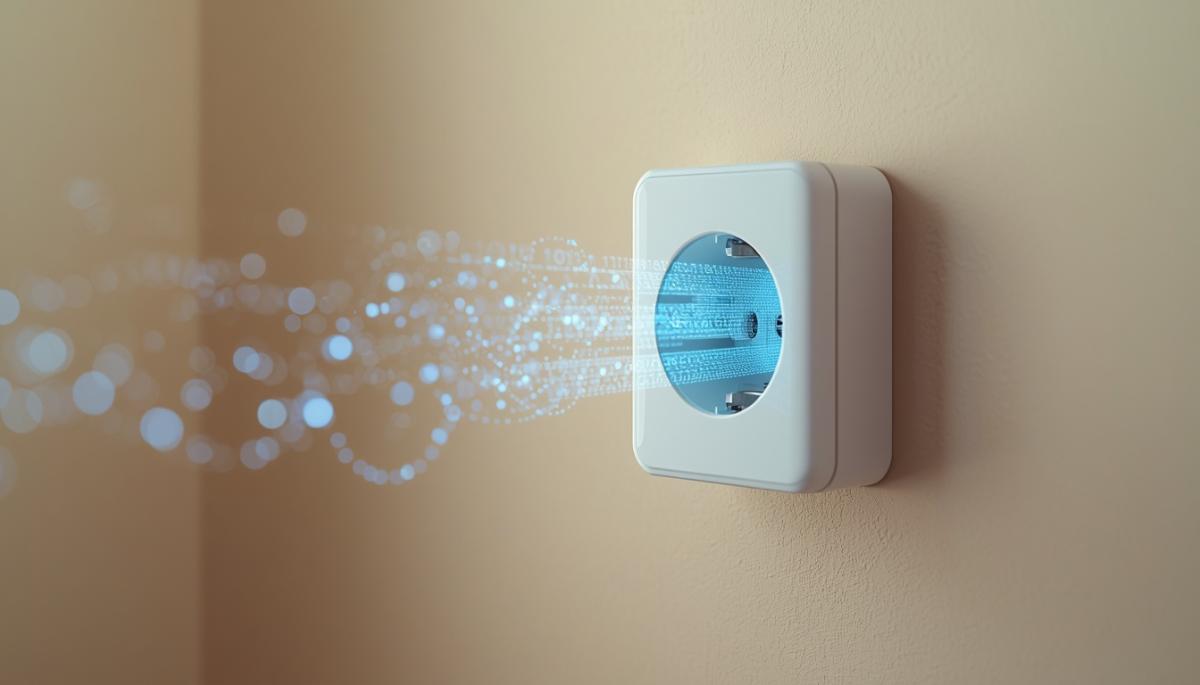
You might know the feeling. The internet works great in the living room by the router, but once you move to the bedroom or upstairs, the signal hopelessly fades away. That's when the question arises. Do you accept eternal screen freezing, or do you pick up the drill and start running cables across the whole apartment? If construction work doesn't appeal to you, there's a way that avoids dust underfoot and unsightly floor strips.
Powerline adapters use what you already have in every wall, the electrical wiring, to transmit data. Just one free outlet is needed, and in a moment, you have a stable connection even where Wi-Fi doesn't reach. In this article, we'll show you how the technology works, why it's compatible with 4K streaming and gaming, and what to watch out for if you live in an older home. You'll find out if internet through a power outlet is the right path to comfortable surfing for you.
How does a powerline adapter work and why you don't need a drill?
The whole principle is surprisingly simple. Instead of data spreading through the air like in wireless networks, it uses cables that already power your lights and appliances. Electricity and the internet meet in the wires but don't interfere with each other. Your outlet continues to function as before, but now you can also draw a data connection from it thanks to internet-over-electrical technology.
The biggest advantage is that you don't need to configure anything complicated. The whole installation proceeds in a Plug & Play mode, which you can manage in a few minutes:
- Plug one powerline adapter into the outlet near the router and connect them with a short cable.
- Plug the second adapter into the outlet in the room where you need the internet.
- Press the pairing button, and you're done. Both boxes automatically exchange encryption keys and create a protected connection.
Thanks to encryption, you also don't have to worry about your privacy. Even though the data runs on the same wires that someone in a neighboring apartment could theoretically connect to, your network remains closed. The security lock ensures that no outsider can access your data. Additionally, the signal weakens enough at the distribution box that it's nearly undetectable to anyone from outside.
Stable wired connection even in areas with weak Wi-Fi
The main weakness of Wi-Fi is its vulnerability to obstacles. The signal has to pass through walls and ceilings, leading to fluctuating speeds and high latency. For general web browsing, this isn't much of a problem, but for tasks requiring smoothness, every dropout or slowdown is immediately noticeable.
This is where the powerline adapter excels. By sending data through cables, it avoids many of the pitfalls of air-borne signals. The result is a much more consistent connection with low ping, which is especially valuable in activities where every second matters:
- Video streaming. High-definition playback runs smoothly. The image doesn't switch to a blurry quality mid-movie just because someone in another room started downloading a file.
- Gaming. The sturdy connection via the power outlet minimizes lag and unexpected outages. This is crucial especially in populated areas where dozens of neighboring wireless networks disrupt each other.
- Working from home. Video calls are more stable, and transferring large documents doesn't take an eternity due to sudden Wi-Fi signal speed drops.
In essence, you get the advantages of a traditional wired connection without having to drill anything in the apartment.

Wi-Fi Mesh vs. Powerline: what to choose?
The question often arises whether to invest in a Wi-Fi Mesh system, made up of several cooperating units that provide signal coverage across a space. The choice depends mainly on what devices you need to connect.
Mesh systems are ideal for covering an entire house so that your mobile or tablet doesn't disconnect when moving between rooms. Their strength lies in comfort. But even these units often communicate wirelessly among each other. If there's a thick wall or ceiling between them, the speed at the end of the chain significantly drops because Mesh system satellites work with a weakened signal.
Internet through a power outlet, on the other hand, is a targeted solution for maximum performance at a specific point. Here's a quick comparison:
| Feature | Wi-Fi Mesh | Powerline Adapter |
| Main Advantage | Total freedom of movement with a mobile throughout the house. | Maximum stability for fixed devices regardless of walls. |
| Installation | Set up via a mobile app and placement of satellites. | Plug & Play – simply plug in the outlet and pair. |
| Strength | Great for new builds and thinner partitions. | Unbeaten when faced with thick brick or concrete. |
| Ideal for | Phones, tablets, and smart home devices. | 4K TVs, gaming PCs, and stable home offices. |
Both systems are often combined. The powerline brings data over cable to a distant room where you can connect another Wi-Fi point to it. This ensures full speed for the computer and simultaneously strong signal for mobile phones in the vicinity.
Watch out for speed killers and old aluminum wiring
To not just praise, it's important to mention factors that can trouble data transmission over the electrical network. Its performance directly depends on the quality of your electrical installation and what you have plugged into it.
Here are the most common brakes that can reduce speed:- Direct outlet rule. This is the most common mistake. Always plug the adapter directly into a wall outlet. If you plug it into a power strip or a surge-protected splitter, you'll be disappointed. These elements work as filters that dampen the data signal.
- Interference from appliances. Some devices with poor-quality switched-mode power supplies, like cheap mobile chargers, can introduce noise into the network. Modern adapters usually handle this, but excessive interference can reduce connection speed.
- Aluminum wiring. In older homes, you often find aluminum instead of copper. While the technology works with aluminum, the connection may not be optimal and the signal weakens more quickly over long distances. In such cases, the best solution is to simply try it out.
- Different phases. The ideal situation is when both outlets are on the same phase. If they're on different phases, data needs to pass through the distribution box, which is another obstacle for the signal and can lead to a performance drop.
If you avoid these mistakes, internet over the electrical network will work very reliably. All it takes is a little thought about where to plug the box in.
Is internet through a power outlet the right choice for you?
Powerline adapters are not a universal cure for every problem, but in situations where Wi-Fi hits the limits of thick walls and cable drilling is not an option, they practically have no competition. They represent the simplest way to get a stable line that approximates the parameters of traditional wired connections.
If you're struggling with fluctuating signals upstairs or need to ensure maximum smoothness for your TV or gaming corner, this technology is the ideal solution. While you have to consider limitations such as the condition of your electrical installation, in the end, you'll create a functional bridge using what you already have in your walls. It's an intelligent way to permanently resolve issues with unstable connections without dust, debris, and unnecessary costs.Frequently Asked Questions
Will internet through sockets work for me on another floor?
Yes, this is one of the biggest advantages of this technology. If both sockets are part of the same electrical circuit in the house, the adapters will connect. The signal quality may be slightly lower if the data has to pass through a breaker between phases, but for regular use, internet transmission over the electrical network is still very effective.
How many powerline adapters can I have in one network?
Most modern systems can handle serving 8 to 16 adapters simultaneously. This means you can have one near the router and one in every room where you need stable connection. However, the total network capacity is shared among them, so the more devices actively downloading data, the lower the speed will be for each one.
Can the data 'leak' to neighbors in the next apartment?
Theoretically, the signal could reach a nearby neighbor if you share the same phase. In practice, the risk is negligible. Every powerline adapter supports 128-bit AES encryption. When setting up, you simply press the pairing buttons, and your network locks with its own key, preventing outsiders from connecting.
What if I need Wi-Fi in the target room, not just a cable?
In that case, look for models marked 'Wi-Fi Powerline.' These units work by receiving data from the socket via cable but create a new wireless access point in the given room. It's an ideal solution to bring a signal to 'dead zones' on a floor, even for mobile phones.
Will a running washing machine or refrigerator slow down my connection?
Household appliances can introduce noise into the network. If you have older wiring or a poor-quality adapter, you might notice a slight speed drop when turning on a power-hungry device. However, with modern adapters of the HomePlug AV2 standard, this effect is minimal, and the average user typically won’t notice it while surfing or watching movies.
Phone instead of a card or key. What is NFC and how does it work?

Just hold your phone up to a terminal and within moments the payment is made. However, NFC technology is capable of much more. We will explain what NFC is and how it works, what actually happens during NFC mobile payments, what else you can use it for, and how secure it is. We will also show what NFC tags are and how they can simplify some daily tasks.
What would happen if the internet went down for a day?

What if there was a full-day internet outage? An immediate collapse of society wouldn't occur, but daily operations would quickly become complicated because today's world is more dependent on the internet than we often realize. Which services would stop functioning first, and what would happen with payments, transportation, or work?
WPA, WPA2, WPA3: Which Wi-Fi security should you use today?

WPA, WPA2, WPA3, AES or TKIP? Wi-Fi security settings might initially seem unnecessarily complicated. However, when you understand what each abbreviation stands for, it becomes fairly simple. Therefore, we'll explain the differences between them and which is the best choice today. We'll also suggest what settings to choose if you have older devices at home that don't support the latest standard.
Is incognito mode really anonymous? Who still sees what you're doing

Do you think incognito mode hides you from everyone on the internet? In reality, it works a bit differently. We explain what it actually does, when it's sensible to use it, who can still see your activity, and whether history can be traced in incognito mode.
Why Does AI Hallucinate? A Peek Under the Hood of Language Models

AI can answer almost any question in just a few seconds. However, sometimes it confidently states information that is not true. Why does this happen and what are so-called AI hallucinations? In this article, we'll explain how large language models work, why they sometimes create false answers and how developers are gradually trying to mitigate this issue.
What is a CDN and why is internet content copied worldwide

Behind every loaded video, photo, or webpage is a technology called CDN. It is used by streaming services, social networks, and regular websites, yet many people have never heard of it. In this article, we will explain what this abbreviation means, how it works, why internet content is stored in various locations around the world, and why today's internet can hardly do without it.